
Table of Contents
ToggleIf your water feels slippery, leaves spots on dishes, or makes your skin feel sticky after a shower, you’re dealing with hard water. A water softener can fix that, but only if you dial in the right hardness setting. Many homeowners install a softener and never touch the settings, or worse, they adjust it randomly and end up wasting salt and water. The truth is, setting your softener correctly isn’t complicated, but it does require understanding your water’s actual hardness level and how your system’s controls work. This guide walks you through reading a water softener hardness setting chart, testing your water, and dialing in the perfect setting for your home.
Key Takeaways
- Test your water hardness level (in PPM) using a home kit, strip test, or professional lab before adjusting your water softener hardness setting chart to ensure accurate calibration.
- Match your water’s PPM hardness to your softener’s hardness setting chart—soft water ranges from 0–60 PPM, moderately hard from 121–180 PPM, and very hard water exceeds 250 PPM.
- Always consult your specific softener’s owner’s manual or valve label, as hardness setting numbers vary between manufacturers and are not universal.
- Test your water annually and monitor regeneration frequency and salt usage; sudden changes signal that your hardness setting needs adjustment or maintenance is required.
- Avoid common mistakes like using your neighbor’s hardness reading, setting the softener once and forgetting it, or confusing hardness levels with softness settings.
- Maintain your system by checking salt levels monthly, flushing the resin bed every few years if recommended, and watching for white buildup or spots that indicate setting adjustments are needed.
Understanding Water Hardness Levels and PPM Measurements
Water hardness is measured in parts per million (PPM) or milligrams per liter (mg/L), these are the same thing. The measurement tells you how many mineral particles (mainly calcium and magnesium) are dissolved in one million parts of water. A glass of water with 100 PPM hardness contains 100 units of minerals per million units of water.
The EPA and water softener manufacturers use a standard hardness scale. Soft water ranges from 0 to 60 PPM. Slightly hard water sits between 61 and 120 PPM. Moderately hard water falls in the 121 to 180 PPM range. Hard water starts at 181 PPM, and very hard water exceeds 250 PPM. Most homes in the United States fall somewhere between slightly hard and very hard.
Why does this matter? Because your softener needs to know how much mineral-laden water it’s processing to remove the right amount. Set it too low, and minerals slip through: set it too high, and you’re regenerating too often, wasting salt and water. Getting this number right is the foundation of everything else.
What Your Water Softener Hardness Chart Actually Means
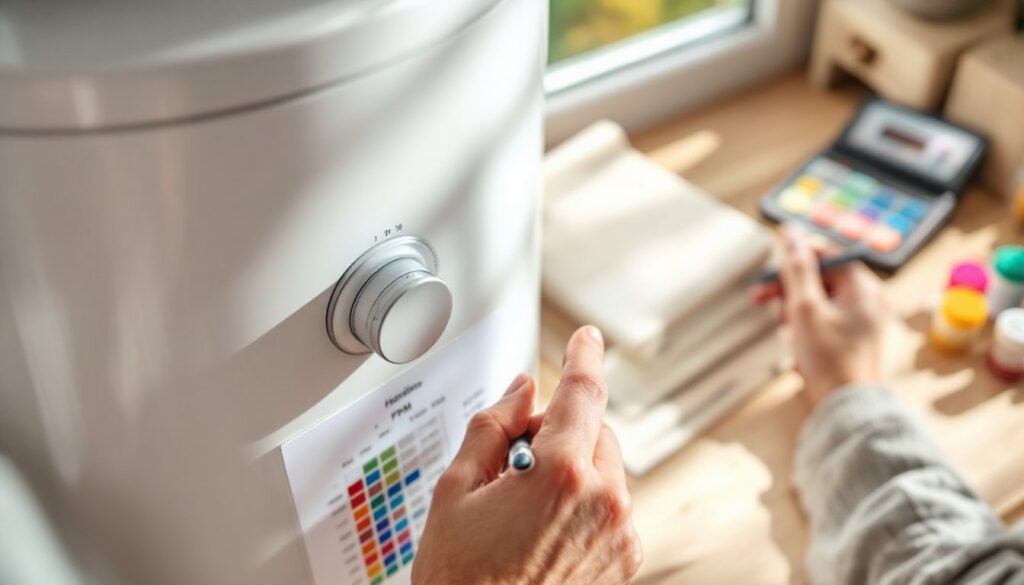
Every water softener comes with a hardness setting chart, usually printed on the side of the control valve or in the manual. This chart is your map, it shows the relationship between your water’s hardness level and the softener’s capacity to remove minerals before it needs to regenerate.
Here’s the practical side: the chart lists hardness levels (usually in PPM or gpg, grains per gallon, which is 17.1 PPM per grain) in one column and corresponding settings on your control head in another. Some softeners use numbered settings (1 through 10), while others display hardness directly. The chart also indicates how many gallons the system can treat before regeneration at each hardness level.
For example, a softener rated at 32,000 grain capacity might treat 64,000 gallons of 100 PPM water, but only 32,000 gallons of 200 PPM water. The harder your water, the more frequently your system regenerates. Think of it like a kitchen sponge: a gentle spill requires less soap and water to clean than spilled flour. The dirtier the job, the more resources it takes.
Reading your specific chart matters because charts vary between manufacturers. A setting of “5” on a Culligan system doesn’t mean the same thing as “5” on a GE system. Always reference your owner’s manual or the label on your valve.
How to Use the Hardness Setting Chart for Your System
Testing Your Water Before Setting Your Softener
Before you touch a single knob, test your water. You have three options: a home test kit, a strip test, or a professional lab test.
Home test kits are inexpensive ($15–$30) and use a chemical titration method. You fill a small vial with tap water, add drops of reagent until the color changes, and count the drops, the number correlates to hardness. Good Housekeeping and other home testing resources recommend this method for decent accuracy at home.
Test strips are even cheaper ($10–$20) but less precise. You dip the strip in water and compare the color to a chart. They work in a pinch, but hardness readings can be off by 20 PPM or more.
Professional lab testing costs $25–$50 but gives you the most accurate results, including readings for other contaminants. Contact your local water utility or county extension office, many offer testing services or referrals.
Once you have your hardness number in PPM, locate it on your softener’s hardness setting chart. Match your hardness level to the corresponding dial setting or digital entry. If your water is 140 PPM (moderately hard), find the row showing “140 PPM” and follow it to the setting column. That’s your target number.
Some digital softeners let you enter the exact PPM value: others use numbered settings. If your hardness falls between two chart entries, round up to the higher setting. Undershooting is worse than overshooting, you’d rather regenerate slightly more often than let hard water through.
Common Hardness Setting Mistakes Homeowners Make
Setting it once and forgetting. Seasonal changes, changes in your municipal water supply, or even new construction upstream can alter your water hardness. Test your water annually, especially if you notice changes in soap performance or white buildup returning. What worked perfectly in January might need adjusting by June.
Using someone else’s reading. Your neighbor might tell you they have 120 PPM hardness and suggest you use the same setting. Don’t. Your water comes from a different source, or even different areas of town receive slightly different water. Test your own water, it takes 15 minutes and costs almost nothing.
Confusing hardness levels with softness settings. Some softeners have a “softness” dial that goes from 0 to 10, with higher numbers meaning softer water. This isn’t the same as hardness. You’re configuring how aggressively the system softens, not measuring incoming hardness directly. Always cross-reference your manual to understand which direction your dial goes.
Ignoring salt usage spikes. If your softener suddenly starts regenerating daily instead of weekly, your hardness setting is too low and minerals are breaking through. Adjust upward. If your salt tank empties much faster than usual, you’re regenerating too often, dial it down. The system tells you when something’s off: listen to it.
Not accounting for well water variables. Well water hardness can fluctuate seasonally, and iron content complicates the picture. If you’re on well water, test more frequently and explore guides on water softener installation to understand your specific setup.
Maintaining Your Softener After Setting the Right Level
Once your hardness setting is locked in, your job isn’t done. Regular maintenance keeps the system running at peak efficiency.
Check salt levels monthly. Your softener’s brine tank should be filled with water softener salt (either pellets or crystals, not rock salt). If the tank is more than one-quarter empty, refill it. Use only salt designed for softeners, table salt contains anti-caking additives that can clog the system. Keep the salt level between one-quarter and three-quarters full. If you notice the tank filling with water but no salt, a component called the brine injector may be clogged: check your manual or call a technician.
Track regeneration frequency. Your softener should regenerate based on water usage and hardness, not on a fixed schedule. If it’s regenerating every few days even though low water usage, your hardness setting is too high, or salt bridging (hard crusts forming in the tank) is preventing proper operation. Break up salt bridges with a broom handle, reaching down into the tank carefully.
Monitor water quality visually. Watch for white buildup on faucets, spots on dishes, or that slippery feel returning. These are signs your setting needs adjustment or a component is failing. Smart softeners and systems from CNET-reviewed smart home devices can send alerts when regeneration is needed, helping you catch problems early.
Flush the resin bed every few years if your manual recommends it. This clears out accumulated sediment and iron. Check your owner’s documentation, some systems handle this automatically, others require manual intervention. If you’re unsure, a service call every 3 to 5 years keeps everything in top shape and costs far less than emergency repairs.
Conclusion
Getting your water softener’s hardness setting right comes down to testing your water once, reading your chart carefully, and then maintaining the system. It’s not rocket science, it’s the same practical thinking you’d apply to any home system. Test your hardness, match it to the chart, set the dial, and monitor results. When your dishes dry spot-free and your water feels soft, you’ve nailed it. Revisit the setting annually, especially if your water supply changes or seasons shift dramatically. A properly dialed-in softener runs efficiently, uses salt and water responsibly, and keeps your plumbing and appliances protected for years to come.